Print RC Dream
Empress Lilly files
Empress Lilly files
Couldn't load pickup availability
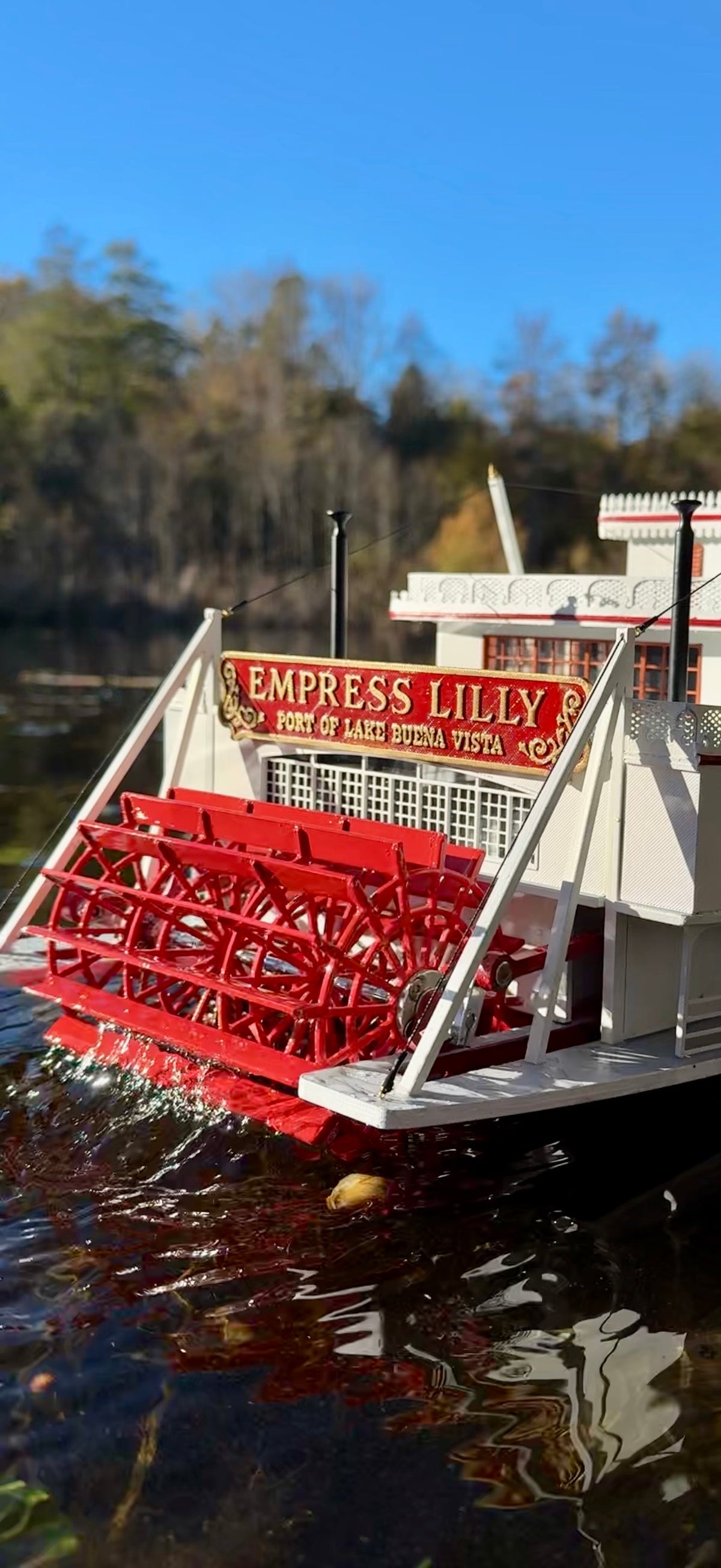
The Empress Lilly was created by Walt Disney Imagineers as a tribute to the grand Mississippi sternwheelers of the 19th century. Named after Walt Disney’s wife, Lillian, the riverboat was christened in 1977 and became one of the most distinctive landmarks of Walt Disney World Village at Lake Buena Vista.
Although the vessel was designed as a modern restaurant, its appearance was inspired by the classic American showboats and steamers of the past. At approximately 220 feet (67 m) long, the Empress Lilly featured graceful lines, three decks, two tall smokestacks and the characteristic “hog chains” running between the hull and the upper deck. These elements were based on authentic features found on traditional flat-bottomed riverboats.
Inside, the original Empress Lilly combined Victorian elegance with the atmosphere of a traditional Mississippi riverboat, featuring ornate interiors, mahogany, brass fittings, etched glass and several themed dining areas.
This model is an attempt to capture the distinctive character and appearance of the Empress Lilly as she appeared during her time at Walt Disney World. While adapted for radio control and 3D printing, particular attention has been paid to the characteristic details that make this unusual riverboat instantly recognizable.
Historical reference: Walt Disney World — The First Decade.
Following set contains 94 STL files. The model is made in a scale of 1/75 and has the following dimensions (rounded).
- Length - 900mm
- Width - 250mm
- Height - 400mm
Max. printing volume (A x B x H): 82 x 118 x 235mm
I recommend to use FDM printer for massive parts and SLA for onces with fine detailization. The hull is printed in 4 sections and should fit in a 3d printer with a 250mm x 250mm x 250mm build volume. I suggest to use PETG and "Standard" resin.
This is not a beginner print! This model intended for the experienced model builder.
The model is optimized for RC equipment and LED lights smoke imitator installation. Along with the assembly instructions, the kit includes a list of components that the customer needs to purchase independently. You can find the list of components to be purchased in the Documentation section right now.
FDM print settings:
- Walls - 2
- Infill - 15%
- Supports type - Tree
- Print speed - 75 mm/s
- Layer height - 0,12mm
Please note! This is not a physical product. After purchase, you will receive a download link for the files required to 3D print the parts yourself.
Share